Printer Buying Guide
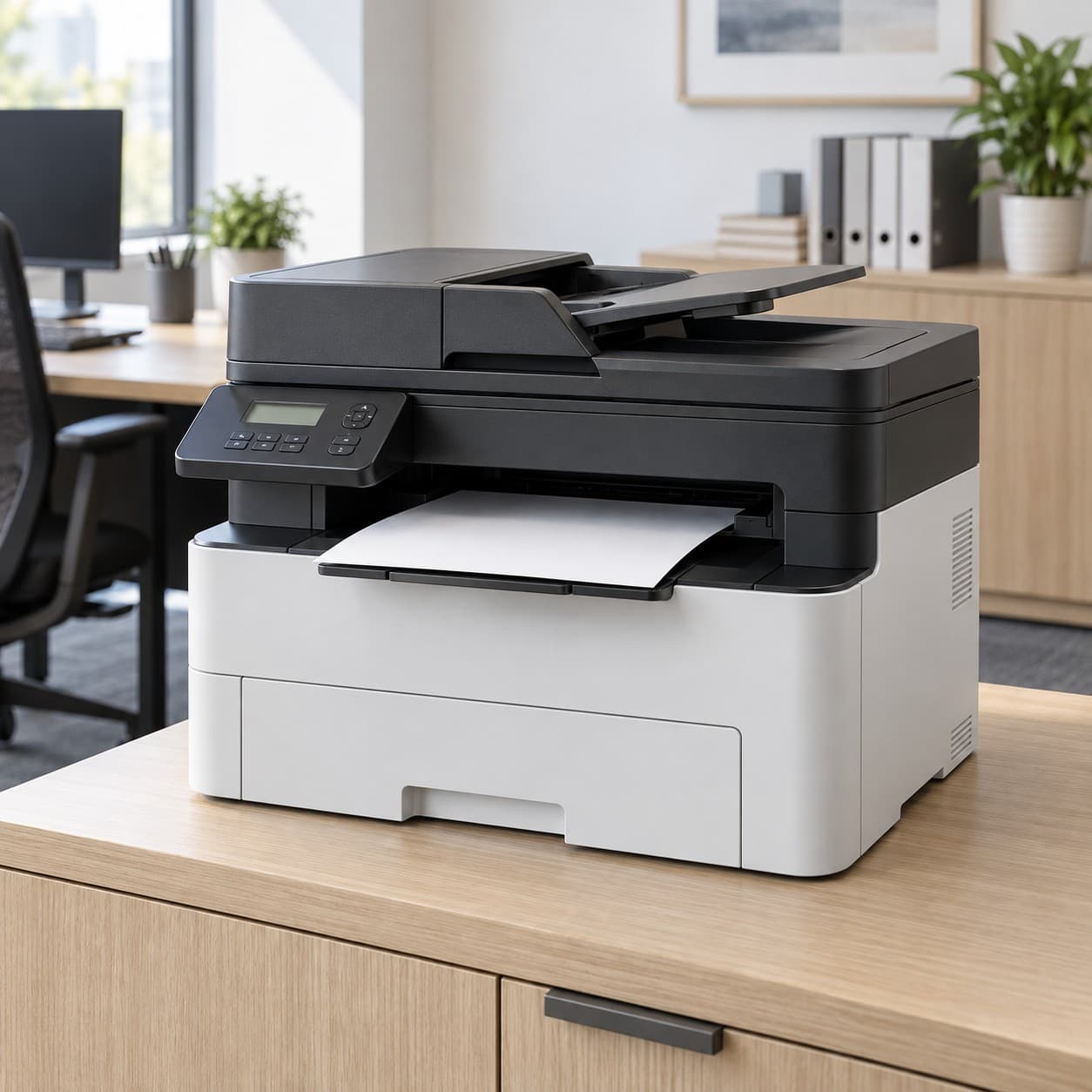
Printer Type
The printing technology under the hood determines running costs, print quality, and what the machine is actually good at. Get this choice right and everything else falls into place.
- Inkjet — Sprays liquid ink onto paper. Excellent for photos and color documents, affordable upfront, and compact. The catch is cartridge cost: the printer may be cheap, but ink refills add up fast, and ink can dry out if you print infrequently.
- Laser — Uses toner powder and heat. Fast, razor-sharp text, very low cost per page, and toner never dries out. Ideal for document-heavy homes and offices. Color laser models cost more upfront and photos won't match inkjet quality.
- Ink Tank — Inkjet printing with refillable reservoirs instead of cartridges. Higher purchase price, but bottled ink brings cost per page down dramatically. The smart buy if you print regularly in color and hate replacing cartridges.
- Thermal — Uses heat-sensitive paper with no ink at all. Dominates shipping labels, receipts, and small sticker printers. Cheap to run and nearly maintenance-free, though prints fade over time and are typically black-only.
- Dye-Sublimation — Heats dye onto coated paper for smooth, continuous-tone, water-resistant photos. The go-to for photo booths and pocket photo printers. Limited to photo-sized prints and you buy paper and ribbon as a set.
- LED — A laser cousin using LED arrays instead of a laser beam. Fewer moving parts, often more compact, with comparable speed and quality.
- Dot Matrix — Impact printing, still used for multi-part carbon forms, invoices, and industrial logs. Loud and low-resolution, but unbeatable for duplicate forms.
Rule of thumb: photos and mixed home use point to inkjet or ink tank, high-volume text points to laser, and labels or receipts point to thermal.
Color
It sounds like the simplest spec on the page, but color capability affects purchase price, maintenance, and ongoing cost more than most shoppers expect.
- Color — Necessary for photos, presentations, school projects, marketing materials, and craft printing. Color inkjets use separate cyan, magenta, and yellow supplies, and many will refuse to print at all if one color runs dry, so factor in the cost of keeping every tank or cartridge topped up.
- Black & White — Monochrome lasers and thermal printers are cheaper to buy and run, print faster, and have far simpler maintenance. Perfect for contracts, essays, shipping labels, and receipts where color adds nothing.
Be honest about how often you actually print in color. Many households save real money with a monochrome laser for documents and a small dedicated photo printer for the occasional print.
Functions
Function sets separate the single-purpose printer from the machine that replaces three devices on your desk. More functions mean more convenience but also a bigger footprint and more parts that can break.
- Print Only — Smallest, cheapest, and simplest. Great as a secondary printer, a dedicated label printer, or for anyone who scans with a phone app.
- All-in-One — Print, scan, and copy in one body, sometimes with fax. The default choice for home offices and families because it handles nearly every paper task.
- Scanner — Look at the scan bed size and whether it's flatbed (handles books and thick originals) or sheet-fed only. Flatbed is more versatile; sheet-fed is slimmer.
- Copier — Standard on all-in-ones. Check if it can copy in color and whether it can copy multiple pages unattended.
- Fax — Still required in legal, medical, and government workflows. Skip it if that isn't you, since it adds cost and needs a phone line.
- Photo — Dedicated photo printers or all-in-ones with extra ink colors and photo paper handling for richer, longer-lasting prints.
- Label — Specialized thermal units for shipping labels, barcodes, and name tags. They pair with shipping platforms and print a label in about a second.
Buy the functions you'll use monthly, not the ones you can imagine using someday; every extra module is another thing to jam, clog, or fail.
Connectivity
How a printer connects decides whether printing is a two-tap affair or a weekly troubleshooting session. Check that your specific devices and operating systems are supported before buying.
- Wireless Wi-Fi — Connects to your home network so any phone, tablet, or laptop can print from anywhere in the house. Essentially standard now, but dual-band support (2.4 GHz and 5 GHz) makes setup far less frustrating.
- Wi-Fi Direct — Lets a device connect straight to the printer without a router. Invaluable for guests, travel, and spotty networks.
- Bluetooth — Common on portable, photo, and label printers. Short range and slower than Wi-Fi, but dead simple for phone-to-printer jobs.
- USB — The reliable fallback. A wired connection never drops, and some printers still need it for initial setup. Note that the cable is often not included.
- Ethernet — A hardwired network port for offices that need stable, shared access across many computers.
- NFC — Tap your phone to the printer to pair instantly. A nice convenience rather than a deciding factor.
- AirPrint — Native printing from iPhone, iPad, and Mac with no driver installation. Essential for Apple households.
- Cloud Print — Print from email or a manufacturer app while away from home, and connect services like Google Drive or Dropbox.
- SD Card — A slot for printing photos directly from camera memory cards or USB drives, no computer required.
At minimum insist on Wi-Fi plus a USB port; add AirPrint or cloud support if you print mostly from phones.
Print Speed
Speed is measured in pages per minute (ppm), and manufacturers quote the best-case number for plain black text in draft mode. Real-world color, photo, and duplex speeds are always slower.
- Under 10 ppm — Typical of portable, photo, and budget inkjets. Fine for a few pages at a time; painful for a 40-page report.
- 10 ppm to 19 ppm — Common for home inkjets and entry all-in-ones. Comfortable for light household use.
- 20 ppm to 29 ppm — The sweet spot for home offices. Most compact monochrome lasers land here and handle daily document runs with ease.
- 30 ppm to 39 ppm — Small business territory. Good when several people share one machine or you routinely print long documents.
- 40 ppm to 75 ppm — Departmental workhorses built for continuous high-volume printing, usually paired with large paper trays and robust duty cycles.
Also check the first-page-out time; lasers warm up and deliver in seconds, while inkjets can stall before the first sheet, which matters more than ppm if you print one page at a time.
Paper Size
Paper handling defines what jobs a printer can physically take on. Most machines top out at standard letter size, so anything larger means shopping in a different class.
- 8.5x11 Letter — The North American standard for documents. Every full-size printer supports it.
- A4 — The international equivalent, slightly taller and narrower. Worth confirming if you handle international paperwork.
- Legal — 8.5 by 14 inches for contracts and official forms. Check that the tray extends to accommodate it rather than requiring manual feed.
- 4x6 — Standard photo size, and the native format for most pocket and instant photo printers.
- 5x7 — A step up for framed prints and greeting cards.
- A3 and 11x17 Tabloid — Wide-format sizes for posters, spreadsheets, blueprints, and art prints. Expect a much larger, pricier machine.
- 13x19 — Super-B size favored by photographers and artists producing gallery prints.
- Envelope — Look for a dedicated feed path or rear straight-through tray; envelopes jam easily on printers not designed for them.
- Roll Paper — Used by thermal label and receipt printers. Confirm the maximum roll width and diameter your model accepts.
Buy for the largest size you genuinely need, and if labels or photos are the priority, verify the exact media dimensions the printer feeds rather than assuming.
Paper Capacity
Input capacity is a quality-of-life spec: the bigger the tray, the less often you're feeding the machine mid-job. It's also a reliable signal of how heavy-duty a printer is.
- Under 50 Sheet — Portable, photo, and compact printers. Expect frequent refills, which is fine for occasional use.
- 50 to 99 Sheet — Entry-level home inkjets. Adequate for school assignments and light household printing.
- 100 to 149 Sheet — A practical middle ground for homes that print a few times a week.
- 150 to 249 Sheet — Solid home-office capacity; you can load half a ream and forget about it for a while.
- 250 to 499 Sheet — Standard for business lasers. Holds a full ream, which is the point where refilling stops being a chore.
- 500 to 1000 Sheet — High-volume machines, often with expandable second trays so you can keep letter and legal loaded simultaneously.
Pair capacity with your monthly page count, and consider a second tray if you regularly switch between paper types. Also check the output tray, since a 250-sheet input paired with a 50-sheet catch tray still means babysitting long jobs.
Resolution
Resolution is measured in dots per inch (dpi) and controls fine detail. Higher isn't universally better, because the right number depends entirely on what you're printing.
- 203 dpi — The thermal label and receipt standard. Perfectly crisp for barcodes, addresses, and shipping labels.
- 300 dpi — Higher-detail thermal printing for small text, dense barcodes, and detailed sticker or stencil work.
- 600 dpi — The laser document baseline. Produces clean, professional text and acceptable business graphics.
- 1200 dpi — Sharper laser output for fine serif type, detailed line art, and polished client-facing documents.
- 2400 dpi and 4800 dpi — Inkjet territory for photos and graphics with smooth gradients and subtle color transitions.
- 5760 dpi — Top-tier photo inkjet resolution, meaningful mainly for large prints viewed up close and paired with premium photo paper.
For text, 600 dpi is plenty; for photos, look past the dpi number to the number of ink colors, since a six-ink printer will outperform a four-ink one at the same resolution.
Features
Features are where two printers with identical specs diverge in daily usability. These are the extras that either save you real time or quietly inflate the price.
- Auto 2-Sided Printing — Duplexing flips the page for you, halving paper use. A genuine money-saver for anyone printing reports or study material.
- Auto Document Feeder — Stack multi-page originals for unattended scanning, copying, or faxing. Essential if you digitize paperwork; check whether it scans both sides in one pass.
- Touchscreen — Makes settings, previews, and maintenance far less painful than a two-line display and a cluster of buttons.
- Borderless Printing — Prints edge to edge, which matters for photos, flyers, and stickers you don't want to trim.
- Cartridge-Free — Refillable tank systems that eliminate cartridges entirely and slash cost per page.
- Inkless — Thermal technology using heat-reactive paper, so there's nothing to replace but the paper itself.
- Refillable — Bottle-fed tanks, typically delivering thousands of pages per fill at a fraction of cartridge cost.
- Rechargeable Battery — Makes portable and label printers truly mobile for markets, pop-ups, and on-site work.
- Photo Tray — A dedicated tray for 4x6 paper so you don't swap out your plain stock every time you print a photo.
- Voice Control — Print via Alexa or Google Assistant. A convenience, not a reason to choose a printer.
- Energy Star Certified — Verified lower power draw, which adds up on machines left on all day.
- Ink Included — Starter supplies in the box. Check whether they're full-size or low-yield trial cartridges, because that difference can be worth a lot.
Prioritize duplexing, an auto document feeder, and a refillable ink system if they apply to you; those three affect cost and workflow every single week, while the rest are pleasant bonuses.
Use Case
Working backward from what you print is the fastest route to the right machine. Each of these scenarios pushes you toward a different type, size, and feature set.
- Home — Mixed light printing: forms, recipes, homework, the occasional photo. A compact color all-in-one covers it.
- Home Office — Regular documents plus scanning and copying. Prioritize duplexing, an auto document feeder, and reliable wireless.
- Small Business — Shared network access, faster speeds, larger trays, and low cost per page. A business laser or high-yield ink tank model earns its keep.
- High Volume — Check the monthly duty cycle rating, not just ppm. You want a 250-plus sheet tray, high-yield supplies, and a machine rated well above your actual output.
- Photo Printing — Look for extra ink colors, borderless capability, photo tray support, and pigment inks for prints that resist fading.
- Travel — Battery power, Bluetooth, and light weight matter more than speed or tray size.
- School — Affordable running costs and easy phone printing beat every other consideration.
- Shipping Labels — A direct thermal label printer with no ink, fast output, and integration with major selling and shipping platforms.
- Stickers and Craft — Borderless printing, support for specialty media, and either inkjet color or a thermal sticker printer for small designs.
- Receipts — Compact thermal roll printers that connect to point-of-sale software and print in about a second.
- Tattoo Stencil — Dedicated thermal stencil machines that transfer designs onto carbon paper; verify supported stencil paper types.
If your needs span two very different categories, such as documents and shipping labels, two specialized printers are usually cheaper and more reliable than one machine that compromises on both.
Size
Printers are bulkier than product photos suggest, and they need clearance for trays, lids, and paper paths. Measure your space before you order.
- Mini — Pocket photo and sticker printers you can carry in a bag. Battery-powered, phone-controlled, and limited to small photo formats.
- Portable — Slim, lightweight document or label printers for cars, job sites, and travel. Slower and lower capacity by design.
- Compact — Shrunken all-in-ones and small lasers built for dorm rooms, shelves, and tight desks. A sensible compromise for low-volume users.
- Desktop — The standard full-size footprint with proper trays and full feature sets. Leave room above for the scanner lid and behind for the rear feed.
- Wide Format — Large machines handling A3, tabloid, or bigger. Heavy, expensive to supply, but the only option for posters and oversized plans.
Always check listed dimensions and weight, and remember that trays and output extensions can add several inches to the operating footprint.
Brands
Brand shapes not just build quality but the entire ownership experience, especially the price and availability of supplies. Before buying, look up the cost of replacement ink, toner, or labels for that exact model.
- HP — The broadest lineup, from budget home all-in-ones to office lasers and the Smart Tank and pocket photo ranges. Excellent app and wide retail supply availability; be aware of subscription ink programs and cartridge authentication policies.
- Canon — Strong in photo output with the PIXMA line and refillable MegaTank models, plus compact office lasers. A favorite among photographers and crafters.
- Epson — Pioneered the EcoTank refillable tank system, which offers some of the lowest cost per page available. Also strong in wide-format and photo printing with heat-free inkjet technology.
- Brother — Known for dependable, no-nonsense monochrome lasers and all-in-ones with reasonably priced toner. A perennial home-office recommendation.
- Lexmark, Xerox, Kyocera, Ricoh, Oki, Sharp, Dell — Business and workgroup specialists built for volume, durability, and network management. Often overkill at home but excellent value used or refurbished for offices.
- Pantum — Budget lasers with notably cheap toner. A practical pick for basic text printing on a tight budget.
- Dymo, Zebra, Rollo, Munbyn — The label and shipping specialists. Zebra and Rollo are staples for high-volume sellers, Dymo dominates office labeling, and Munbyn offers strong value for online sellers. Check whether a model locks you into proprietary label rolls.
- Phomemo, HPRT, Rongta — Affordable thermal printers for labels, receipts, stickers, and study notes, often with clever phone apps.
- Polaroid, Kodak, Fujifilm, Liene — Instant and pocket photo printers using dye-sublimation or zero-ink technology. Fun and portable; the real cost lives in the paper and ribbon packs.
Compare the total cost of ownership rather than the sticker price, since a cheap printer paired with expensive proprietary supplies will cost far more over two years than a pricier refillable model.