Today's best Computer Cases products & deals of 2026
- Discount Depth & Duration
- Median Price Tracking
- Customer Feedback & Ratings
- Price-to-Value Ratio
- Market Demand & Popularity







Our Ranking Process
We analyzed thousands of deals using our proprietary SmartDeal algorithm.
Discount Depth
Verifying true historical lows vs seasonal noise.
Price History
365-day tracking to establish a fair median baseline.
User Ratings
Aggregated verified reviews for long-term satisfaction.
Value Ratio
Weighing features vs cost for maximum utility.
Popularity
Real-time demand tracking for trending items.
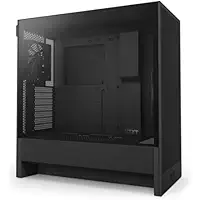


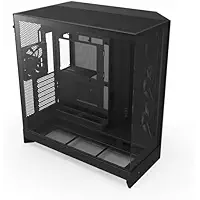


NZXT CC-H52FB-01 Review
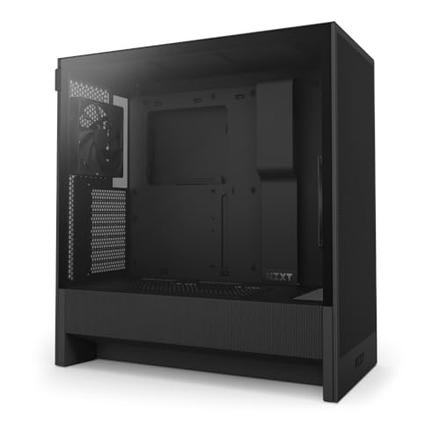
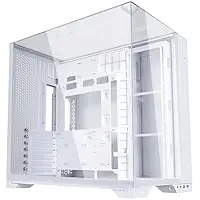
Lian Li O11VPW Review
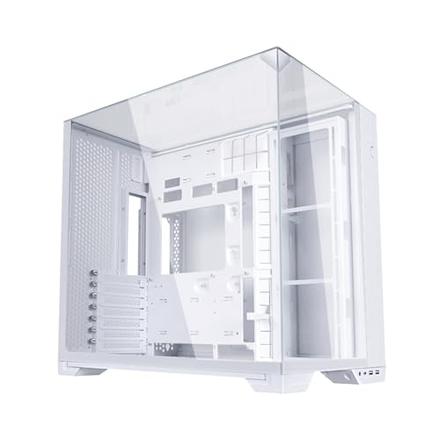
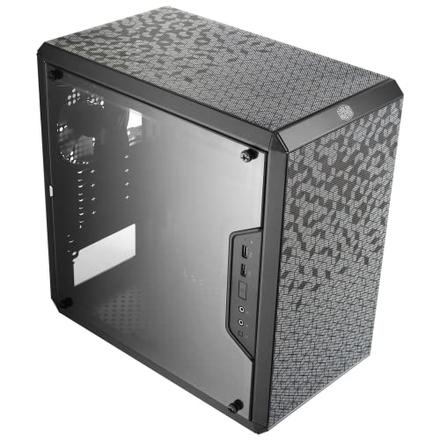
Cooler Master MCB-Q300L-KANN-S00 Review
Simplified Buying Guide
The first and most important choice you'll make is the case size, or "form factor." This determines the case's physical footprint, what motherboards will fit, and how much room you'll have for components and cooling.
- Full-Tower: These are the giants. They offer massive internal space, ideal for E-ATX motherboards, elaborate custom water-cooling loops, and a huge number of hard drives. Choose this only if you have a specific, extreme build in mind.
- Mid-Tower: This is the versatile sweet spot and the most popular choice. It comfortably fits standard ATX motherboards, has plenty of room for large graphics cards and coolers, and is easy to build in.
- Mini-Tower: A more compact version of a mid-tower, typically designed for Micro-ATX motherboards. It's a great choice for saving desk space without making building too difficult.
- Small Form Factor (SFF): These are the tiny titans. SFF cases are incredibly compact, perfect for a powerful PC with a minimal footprint. They exclusively use Mini-ITX motherboards and require very careful part selection, as component clearance is extremely tight.
For most people, a Mid-Tower provides the best balance of size, compatibility, and ease of use. If space is your absolute priority, research SFF cases, but be prepared for a more challenging build.
Your case must be compatible with your motherboard's form factor. This is a non-negotiable compatibility check. You can install a smaller motherboard in a larger case, but you can never fit a larger board into a case that doesn't support it.
- E-ATX (Extended ATX): The largest consumer motherboard size, for high-end enthusiast and workstation builds. These will only fit in Full-Tower cases and some specific, large Mid-Tower cases.
- ATX: The full-sized standard. This is the most common size for gaming and general-purpose PCs and is the primary target for Mid-Tower cases.
- Micro-ATX (mATX): A shorter version of ATX. It's a great budget-to-mid-range option that fits in Mini-Tower cases as well as larger Mid-Tower and Full-Tower cases.
- Mini-ITX: The smallest standard. These tiny boards are designed exclusively for Small Form Factor (SFF) builds.
Always double-check the case specifications to ensure it explicitly lists support for your chosen motherboard size. When in doubt, stick with the most common pairing: ATX motherboard with a Mid-Tower case.
Modern graphics cards, especially high-end models, are longer than ever. This specification tells you the maximum length (in millimeters) the case can accommodate, typically measured from the rear expansion slots to the front fans.
- Under 300 mm: This is a very restrictive clearance, usually found in SFF cases or older designs. You must be very selective with your GPU.
- 300 - 349 mm: A common range that will fit most dual-fan and many entry-level triple-fan cards.
- 350 - 399 mm: This is a safe and comfortable range for most modern, high-performance GPUs.
- 400 mm & Over: This provides clearance for virtually any consumer graphics card on the market, with room to spare.
Find the length of your desired graphics card on its product page, then find a case that has a "Max GPU Length" specification that is comfortably larger. It is heartbreaking to find your new card won't fit.
This measurement is critical for "air coolers" (the large heatsinks and fans that sit on your CPU). It defines the maximum height of a cooler, from the motherboard to the case's side panel.
- Under 150 mm: Highly restrictive. You will be limited to "low-profile" coolers, which are common in SFF builds.
- 150 - 169 mm: A very standard range. This fits most popular mid-sized air coolers (like the Hyper 212).
- 170 - 189 mm: This is excellent clearance, allowing you to use high-performance dual-tower air coolers (like the Noctua NH-D15 or Deepcool AK620).
- 190 mm & Over: Maximum clearance. Found in very wide cases, this will fit any air cooler on the market.
Just like with the GPU, check the height of your chosen CPU cooler and ensure the case can handle it. This spec is not relevant if you are using an All-In-One (AIO) liquid cooler.
If you plan to use an All-In-One (AIO) liquid cooler or a custom water-cooling loop, this is a crucial spec. It tells you what size radiators the case can mount and where (front, top, or rear). Sizes are based on the fans they use.
- 120mm: A single 120mm fan. Good for entry-level CPUs or SFF builds. Usually mounts at the rear.
- 240mm: Two 120mm fans. A very popular AIO size with a great balance of performance and compatibility. Often mounts at the top or front.
- 280mm: Two 140mm fans. Offers quieter performance than a 240mm but has less universal case support.
- 360mm: Three 120mm fans. This is the high-performance standard for hot CPUs, mounting at the front or top of most mid-towers and larger cases.
- 420mm / 480mm: Enthusiast sizes (three 140mm or four 120mm fans) found only in very large cases for maximum cooling potential.
Check *where* the case supports the radiator. Top-mounting is often preferred as it exhausts hot air directly out, while front-mounting pulls cool air in through the radiator.
The front panel is one of the most important factors for your PC's temperatures and its aesthetic. It's the primary air intake and defines the case's "look."
- Mesh: The airflow king. A fully perforated mesh front panel allows intake fans to pull in a massive amount of cool air. This is the best choice for performance and low temperatures.
- Tempered Glass: The showcase look. This puts your front fans (especially RGB ones) on full display but typically offers poor airflow, as air must be pulled through small side vents.
- Solid: A clean, minimalist, or "silent" design. This often has sound-dampening material but provides the most restrictive airflow, leading to higher component temperatures.
- Wood Accent: A popular modern trend. This provides a sophisticated, non-gaming look, often with mesh integrated behind or around the wood for a good balance of style and airflow.
For almost all builders, a Mesh front panel is the smartest and safest choice, ensuring your expensive components stay cool and perform their best.
This is how you'll see (or not see) your components. This choice is almost purely aesthetic but can impact airflow in some specialized cases.
- Tempered Glass: The modern standard. This is heavy, scratch-resistant, real glass that gives a premium, crystal-clear view of your components.
- Panoramic Glass: A "fish tank" style where the side and front (or corner) are both glass for an uninterrupted view. This is a showpiece option that often prioritizes looks.
- Acrylic: An older, less expensive plastic window. It's lightweight but scratches very easily and can become hazy or yellow over time.
- Mesh: A full mesh side panel. Less common, but excellent for airflow, especially in SFF cases where the GPU is pressed right against the side.
- Solid Panel: The classic. A plain metal panel that hides everything inside. Perfect for "sleeper" builds, silent-focused PCs, or workstations where looks don't matter.
Most builders today opt for a Tempered Glass side panel to show off their handiwork and RGB lighting.
Many cases come with fans pre-installed, which can be a great value. Pay attention to both the *number* of fans and their *type*.
- Included Fans (0 to 6+): A case with 3 Fans (e.g., two front intake, one rear exhaust) is a great starting point. Cases with 0 Fans are for builders who want to choose their own specific fans.
- Non-LED: Standard, functional fans focused purely on moving air.
- PWM (Pulse Width Modulation): This is a *feature*, not a light type. PWM fans (with a 4-pin connector) allow your motherboard to precisely control their speed based on temperature. This is highly recommended for a quiet and efficient system.
- RGB: Basic lighting, often controlled by a button on the case. All fans will be the same color at the same time.
- ARGB (Addressable RGB): The full light show. Each LED on the fan can be controlled individually, allowing for complex, flowing patterns. This is managed via motherboard software.
A case with 3 or 4 PWM fans (which may or may not be ARGB) is often the best value, saving you from buying fans separately.
This is where you mount your storage drives. In the age of M.2 SSDs (which plug directly into the motherboard), the need for many bays has decreased, but it's still important.
- 3.5-inch Bay Count: These larger bays are for traditional spinning hard disk drives (HDDs) used for mass storage. Most modern cases have 1-2 Bays, which is plenty for most users.
- 2.5-inch Bay Count: These smaller bays are for 2.5-inch SATA Solid State Drives (SSDs). Look for a case with 1-2 Bays at minimum. These are often mounted in clever spots, like behind the motherboard.
Unless you are a data hoarder or media professional, a case with 1-2 Bays for 3.5-inch drives and 1-2 Bays for 2.5-inch drives is perfectly sufficient.
These are the ports on the top or front of your case for easy access. What's included here can make a big difference in your day-to-day use.
- USB 2.0: An old, slow port. Fine for a mouse or keyboard dongle, but not much else.
- USB 3.0: The blue-colored, high-speed standard. You want at least two of these for flash drives and external hard drives.
- USB Type-C: The modern, reversible port. This is increasingly essential for new devices, fast charging, and high-speed data. Highly desirable.
A good modern case should have a power button, audio/mic jacks, at least one USB 3.0 port, and ideally, a USB Type-C port.
These are the quality-of-life features that separate a budget case from a premium one and can make building *so* much easier.
- Cable Management System: A non-negotiable feature. This means space behind the motherboard, with built-in channels, tie-down points, and Velcro straps to help you hide cables for a clean look.
- PSU Shroud: A cover (usually at the bottom) that hides your power supply and all its messy cables. This is standard on almost all modern cases.
- Magnetic Dust Filters: Easy-to-remove filters on the front, top, and bottom (for the PSU) that catch dust. These are a lifesaver for keeping your PC clean.
- Dual Chamber: A case design that splits the case in two. One chamber holds the motherboard/CPU/GPU, while the other hides the PSU and drives. Great for clean builds.
- Vertical GPU Mount: A bracket that lets you mount your GPU standing up to show it off. Looks cool, but usually requires buying a separate "riser cable."
- Reverse Connection Support: A new feature for motherboards that have connectors on the *back*. The case must have specific cutouts to support this.
Prioritize the "unseen" features. A great Cable Management System and good Magnetic Dust Filters will make your building and ownership experience far more pleasant than a flashy gimmick.
While you can find hidden gems anywhere, some brands have earned a reputation for quality, innovation, and good design.
- Lian Li: Known for premium aluminum construction, innovative dual-chamber designs (like the O11 series), and a "showcase" aesthetic.
- NZXT: Famous for its clean, minimalist, and "Apple-like" H-series cases. Very popular for their simple, elegant look.
- Corsair: A dominant force with a massive range, from high-airflow cases (4000D Airflow) to high-style "smart" cases with integrated RGB.
- Fractal Design: The champion of understated, mature design. Known for excellent build quality, smart features, and a quiet, Scandinavian aesthetic (Meshify, North).
- Cooler Master: A long-time favorite that produces reliable, high-value cases at every price point, from budget to high-end.
You can't go wrong with leaders like Lian Li, NZXT, Corsair, and Fractal Design. For budget builds, Cooler Master and Antec are very reliable, while many newer brands can offer great value if you read reviews carefully.
10 Computer Cases deals are available from: Amazon, starting from $39.99.
The biggest discount we found is 29% on NZXT H9 Flow (2025) – Large Dual-Chamber ATX Mid-Tower Airflow PC Case – Includes 3 x 140mm & 1 x 120mm Fans – 420mm Radiator Support – Tempered Glass – Back-Connect Ready – Black (CM-H92FB-01) at Amazon.
The lowest price we found is $39.99 while the highest is $299.99. Prices for the best Computer Cases deals average at $107.49.
Last updated on March 16, 2026.
We scanned these quality online stores and more to deliver you with the best offers online available for Computer Cases.
Get Our Best Deals Sent to Your Inbox
We scour deals so you don't have to. Get alerts when top brands hit their lowest historical prices.